
.png?width=1448&height=1086&name=Feedlot%20Solutions%20(44).png)
Some of the most important details in a feedlot never make it onto a form. A sick pen you want to recheck tomorrow. A repair the gate crew mentioned. The reason a load came in light. Until now, those details lived on scraps of paper, in text messages, or in your head.
Notes changes that. It's a fast, in-app way to capture what's happening on the yard the moment it happens — by typing, snapping a photo, or recording your voice — and then attach that note to the exact record it belongs to.
Three ways to capture a note
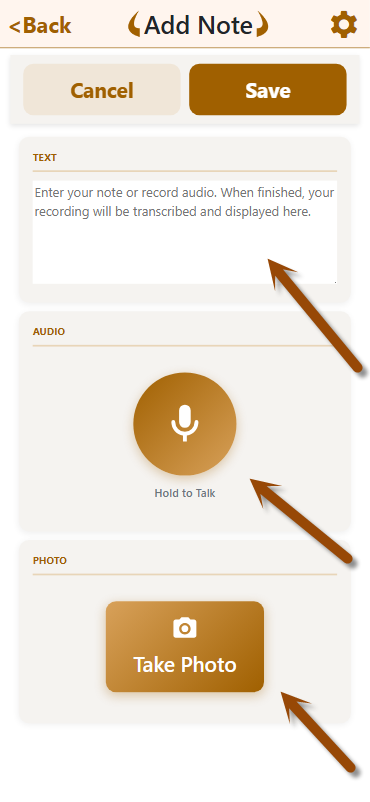
Open Notes from your mobile home screen, tap Note, and capture it however is fastest in the moment:
- Type it. A quick text note for anything you'd normally jot down.
- Snap a photo. Document a damaged pen, a tag, a delivery, or a paper ticket. The photo is saved right alongside the note.
- Record your voice. Tap record and talk — up to one minute per note. When you stop, the recording is automatically transcribed to text for you, so you get a readable note without typing a word. The original audio is saved too, so nothing is lost.
You can combine all three in a single note: speak your observation, add a photo, and tweak the transcribed text before saving.
Why voice matters in the field: When your hands are full or you're on horseback, talking is faster than typing. Record now, read it later — already written out for you.
Find every note in one place
Every note you save lands in your Notes list, newest first.
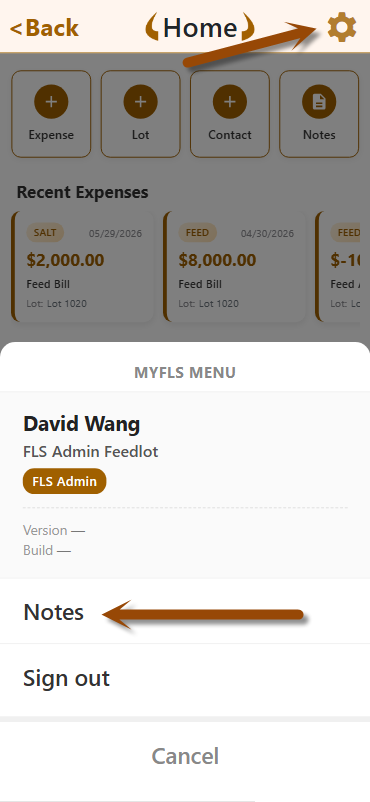
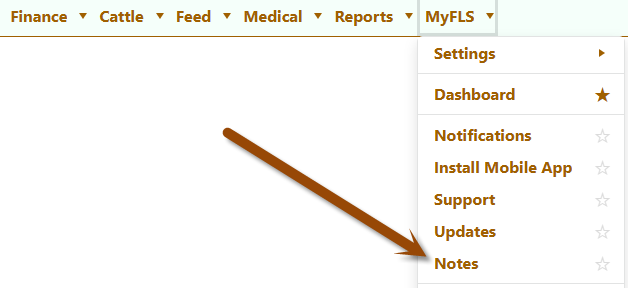
There are three ways to open the Notes list:
- Go to the Home tab and tap the gear icon in the top-right corner.
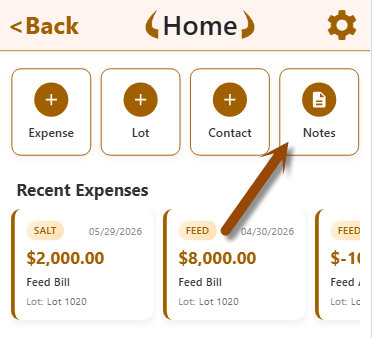
- Press and hold the Notes button to open the Notes list.
- To view it on a computer, please go to FLS Cloud on the web.
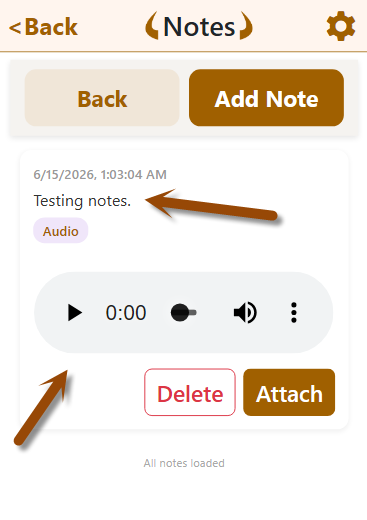
Scroll the list and tap any note to open it — text, photo, and audio all in one view. The list loads as you scroll, so even months of notes stay fast and easy to browse.
Each note shows at a glance whether it includes a photo or audio, and which record (if any) it's attached to — so you can scan the list and find what you need in seconds.
Two ways to connect a note to a record
A note is far more useful when it's tied to the record it explains. FLS gives you two ways to make that connection — pick whichever fits how you're working at the moment.
Option 1: Capture the note now, attach it later
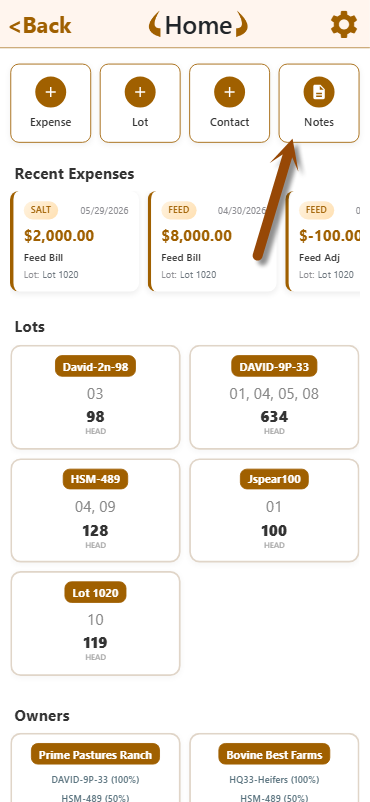
This is the "out in the yard" workflow. Something happens, so you grab your phone and capture a note right away — no need to stop and create a full record first.
- Open Notes and capture what you saw (text, photo, voice — or all three).
- Later, when you're ready, open that note from your Notes list.
- Tap Attach, choose the record type, and pick the exact record:
- Lot & Pen Expenses
- Cattle Move In (purchases)
- Cattle Move Out
- Pen Transfers
- Cattle Induction records
- Treatment or Processing records
The note instantly shows up on that record's screen. Use this when you want to capture the detail first and sort out where it belongs after — perfect for busy moments when you can't stop to do paperwork.
Option 2: Attach a note while you create the record
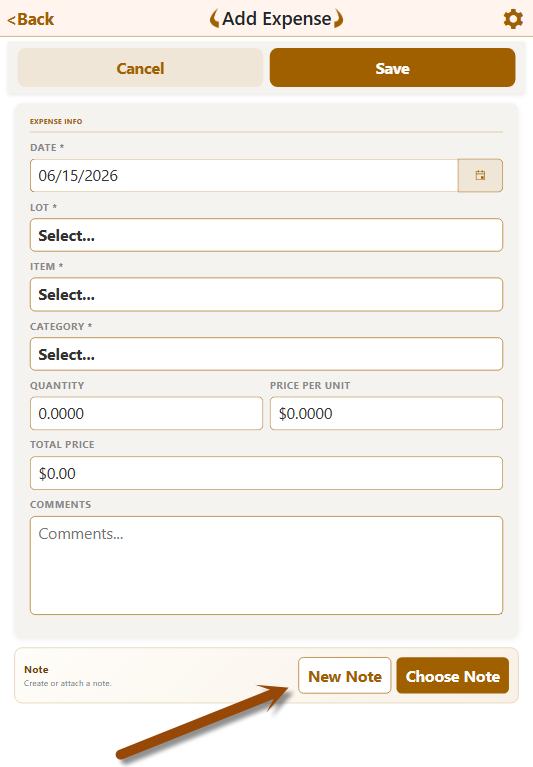
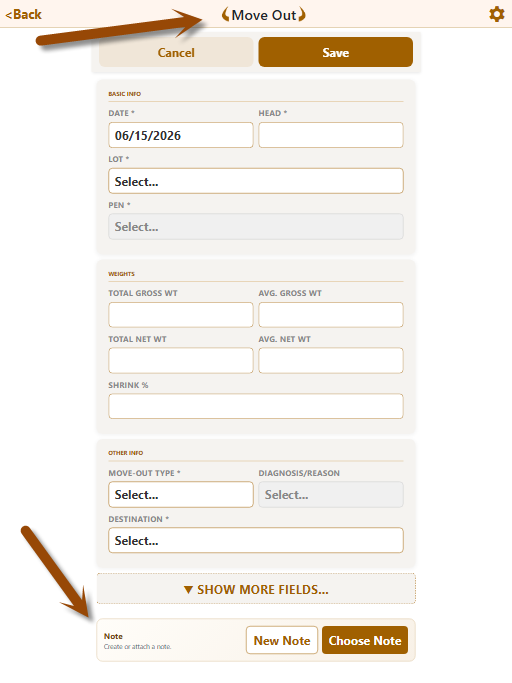
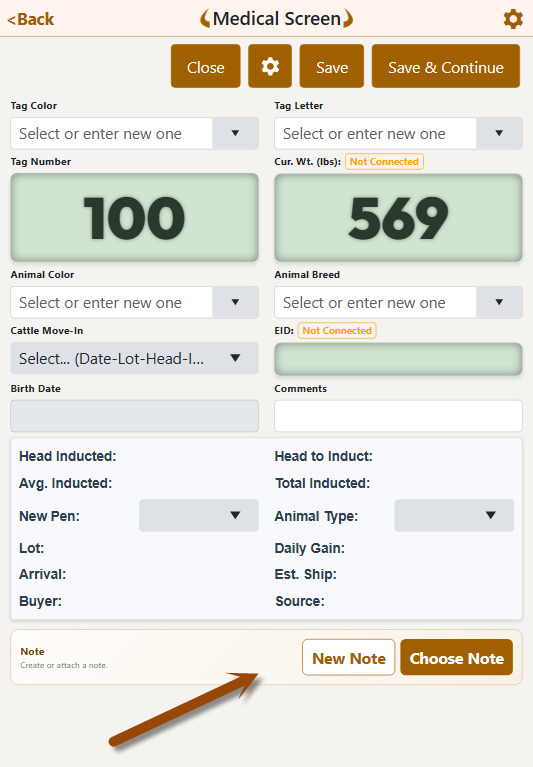
This is the "doing the paperwork" workflow. You're already adding or editing a record — an Expense, a Cattle Move, a Pen Transfer — and you want to attach the story behind it without leaving the screen.
- While adding or editing the record, tap Choose Note.
- Either pick an existing note from your list, or create a new one on the spot — type, photo, or voice, same as always.
- Save the record. The note is linked automatically.
Use this when the note and the record naturally happen together — for example, snapping a photo of a delivery ticket as you enter the expense.
Either way, everything stays in sync
No matter which path you take, the result is the same: the note lives on the record it explains, and the record points back to the note. The next person who opens that expense, sale, or transfer sees the full story behind it. Need to move a note to a different record? Re-link it any time — FLS keeps everything in sync, so a record never shows two conflicting notes.
Built for the way you actually work
- Made for mobile. Notes lives where you already are — on your phone, in the yard.
- Nothing gets lost. Text, photos, and audio are stored securely with your operation's data.
- Always in context. Notes attach to the records they explain, so the "why" travels with the "what."
Spend less time remembering, more time managing
Stop relying on memory and sticky notes. Capture the detail once — by voice, photo, or text — attach it where it belongs, and find it instantly when you need it.
Try it now: Open the FLS mobile app, tap Notes, and capture your first note in under 30 seconds.
Not using FLS Cloud yet? Schedule a demo to see how feedlot teams capture, organize, and act on what's happening in the yard — all from one app.
Feedlot Solutions gives cattle feeders one connected platform for cattle, health, feed, and finance — from the pen to the office. Notes is the latest addition to a system built to keep your whole operation on the same page.
Not using FLS Cloud yet? Feedlot Solutions provides the most comprehensive, cloud-based management software for the modern beef producer. From inventory and health records to precise feed billing and custom reporting, we help you measure it so you can manage it.
Click here to schedule a demo.
Keywords: Feedlot management software, feedlot record keeping, custom feedlot billing, cattle closeout reports, feedlot closeout, cattle performance analysis, ration tracking, feed inventory, yardage billing, cattle health records, feedlot accounting, custom feeding software, grain bank, cattle medical, cattle inventory, cattle movements, cattle tag management, average daily gain, ADG, dry matter intake, DMI, feed conversion ratio, FCR, feed efficiency, gain efficiency, cost of gain, COG, break even analysis, cattle closeout report, pen closeout, lot closeout, group closeout, feedlot closeout report, cattle profit loss, cattle margin analysis, cattle weight gain tracking, cattle average weight, cattle shrink, cattle days on feed, DOF, cattle projected finish date, feed management software, feed inventory software, feed tracking software, feed delivery records, feed consumption tracking, feed cost tracking, feed ingredient inventory, ration management, ration tracking, ration formulation, ration cost, ration changes, ration history, daily feed records, feed bunk management, bunk reading, feed call, feed sheets, feed tickets, feed usage reports, ingredient usage, feed mixing records, TMR records, total mixed ration, feed truck records, feed scale integration, scale head data import, Cattle accounting software, feedlot accounting software, cattle billing software, cattle invoice software, feedlot invoice, feedlot customer billing, owner billing, cattle owner statements, yardage billing, feed billing, medicine billing, processing charges, transportation charges, trucking charges, cattle purchase expense, cattle sale settlement, feedlot receivables, feedlot payables, feedlot financial reports, cattle cost reports, cattle expense reports, feedlot profitability
Comments