To help you avoid running out of feed ingredients or medical supplies, FLS Cloud now offers Inventory Reorder Notifications.
This feature automatically emails you when a component or item inventory falls below the reorder threshold, so you can reorder on time and keep operations running smoothly.
How It Works
Once enabled, FLS Cloud checks inventory levels automatically.
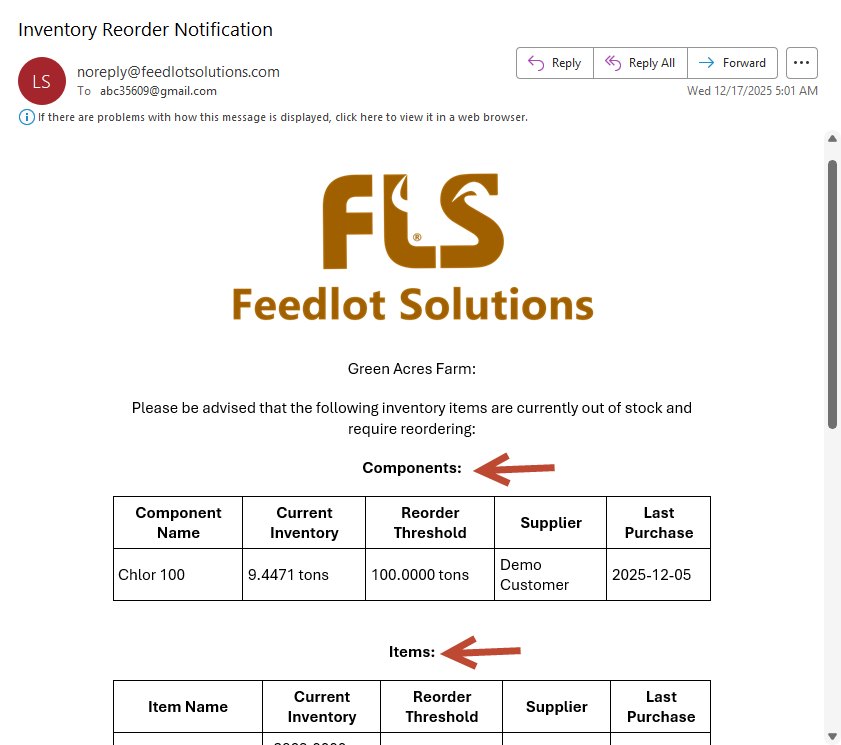
If any component or item falls below its reorder threshold, you’ll receive an email alert at 5:00 AM with the details.
How to Set It Up
Step 1: Turn on Reorder Notifications
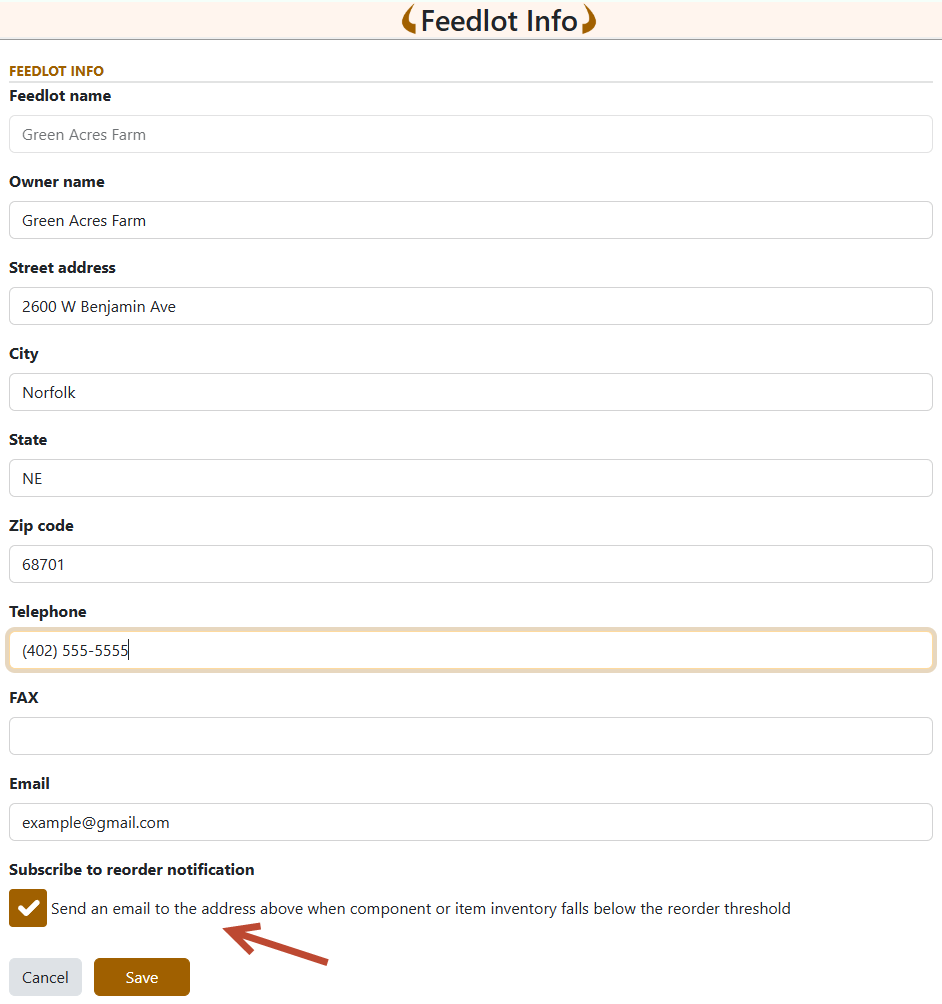
Go to MyFLS → Settings → Feedlot Info
Check “Subscribe to reorder notification” and confirm the email address.
Step 2: Set Reorder Thresholds
For Components
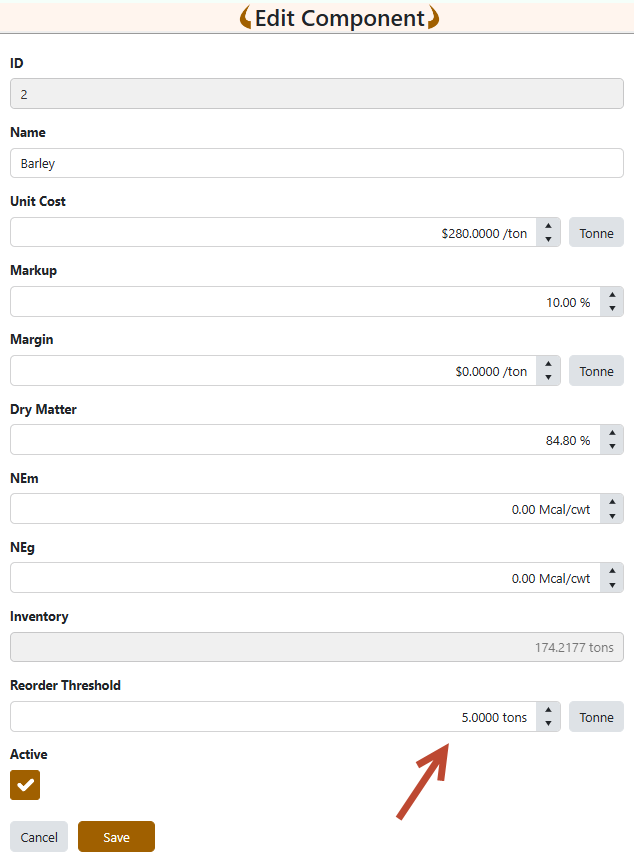
Go to Feed → Components → Edit
Enter a value in Reorder Threshold.
For Items
Go to Medical → Items → Edit
Enter a value in Reorder Threshold.
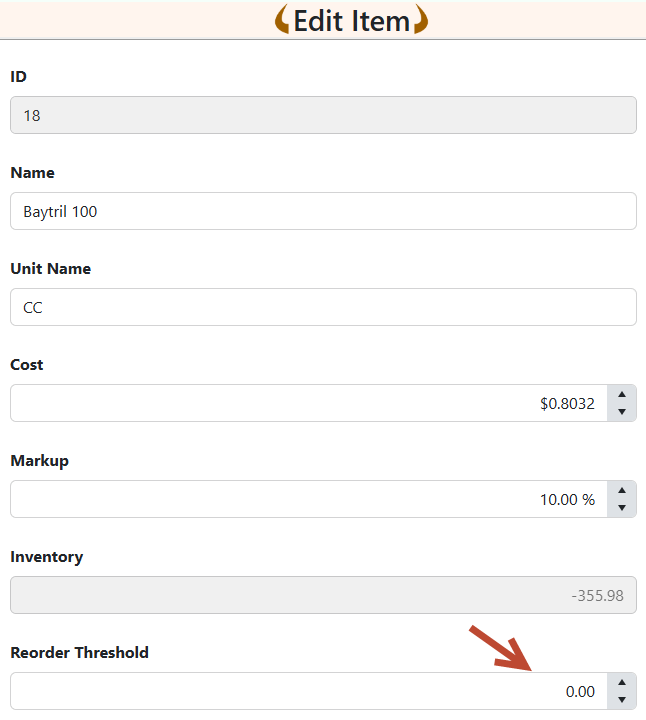
Note:
Leaving the Reorder Threshold blank means Never Reorder. The system will not check that component or item.
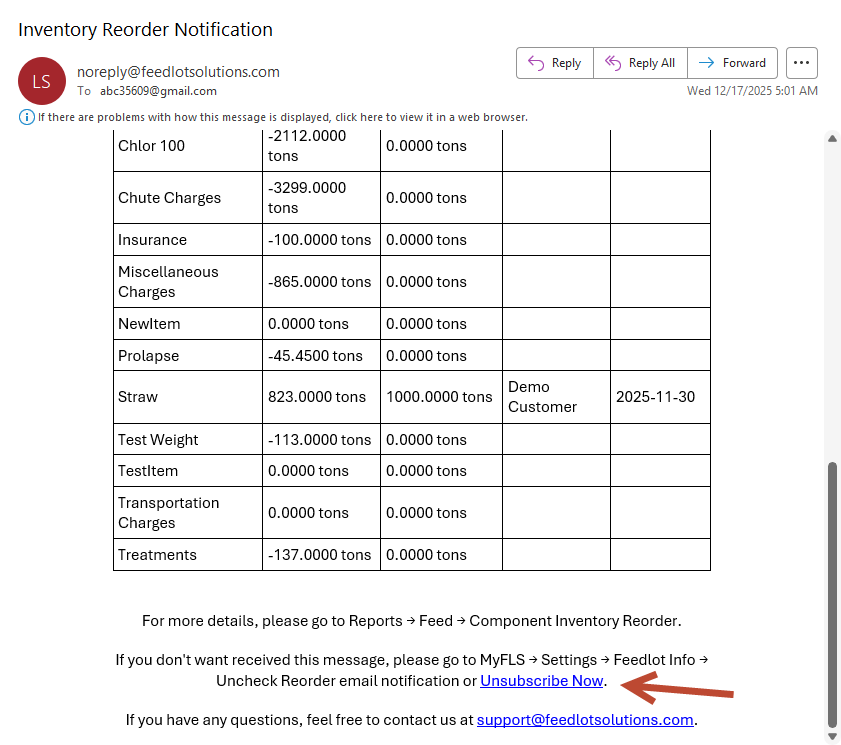
After you complete the settings above, at 5:00 AM daily you’ll receive email alert like below when any component or item inventory drops below the threshold.
Unsubscribe Anytime
-
Click “Unsubscribe Now” at the bottom of the notification email
or -
Go to MyFLS → Settings → Feedlot Info and uncheck reorder notifications