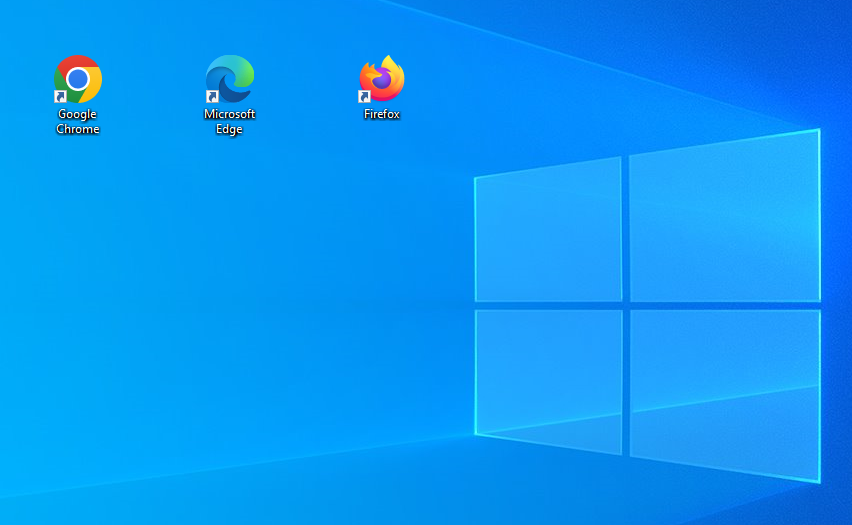
- Select a web browser of your choice, such as Chrome, Edge, or Firefox, and proceed to open it.
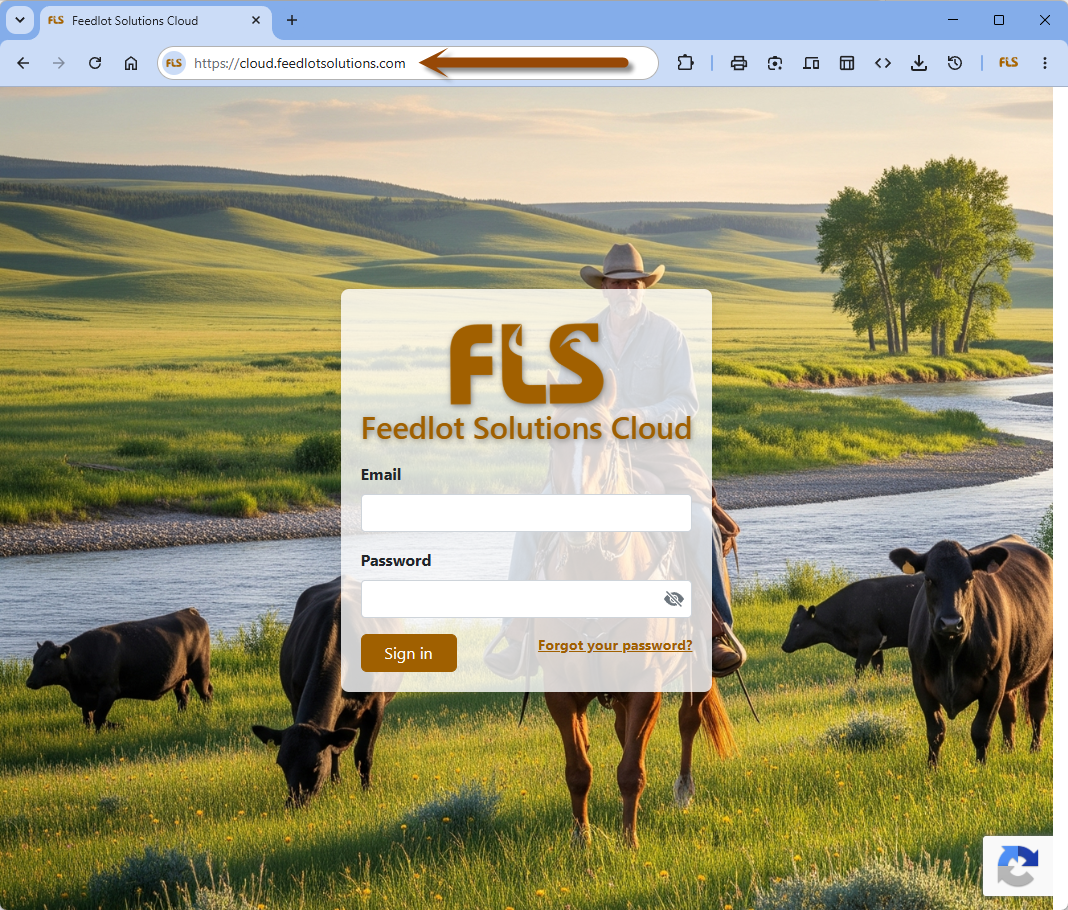
- Enter"Cloud.FeedlotSolutions.com" into the browser's address bar. Then press the Enter key.
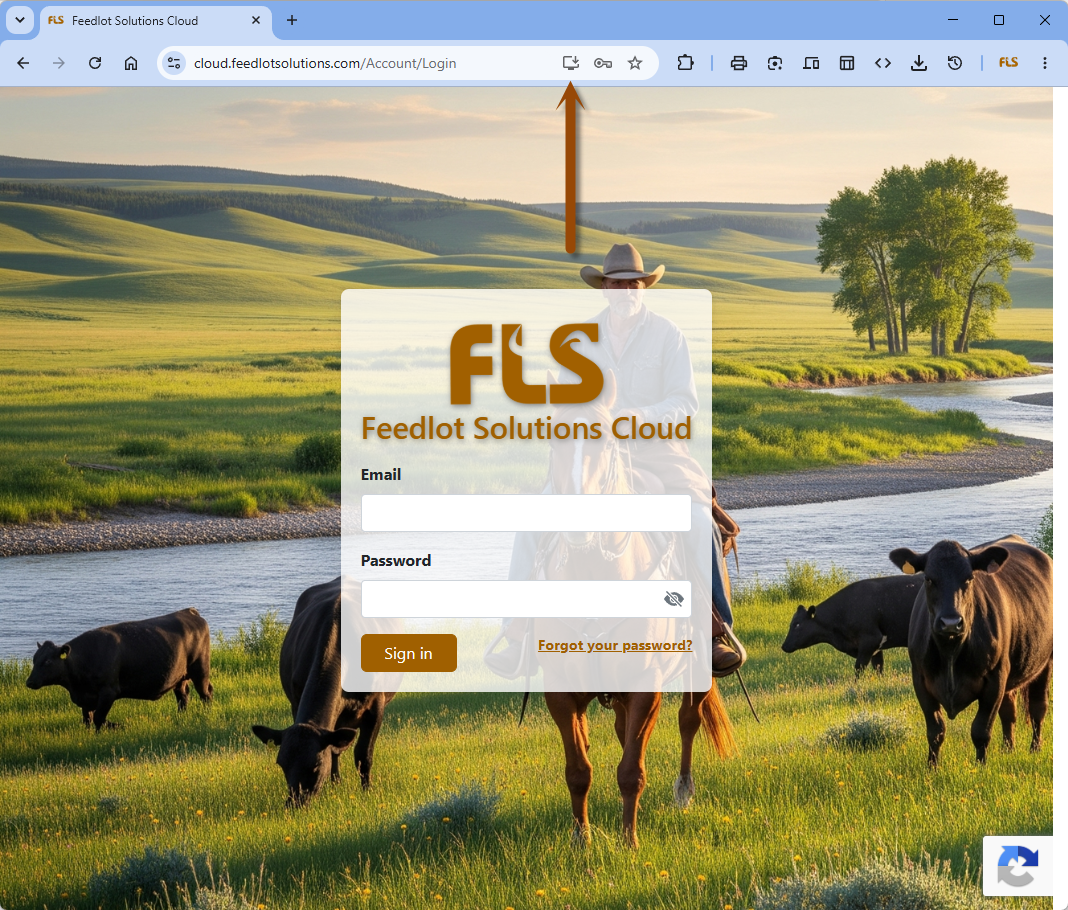
- Click on the icon indicated by the arrow below. Note that the appearance of the icon may vary depending on the browser; the example provided below is for the Google Chrome browser.
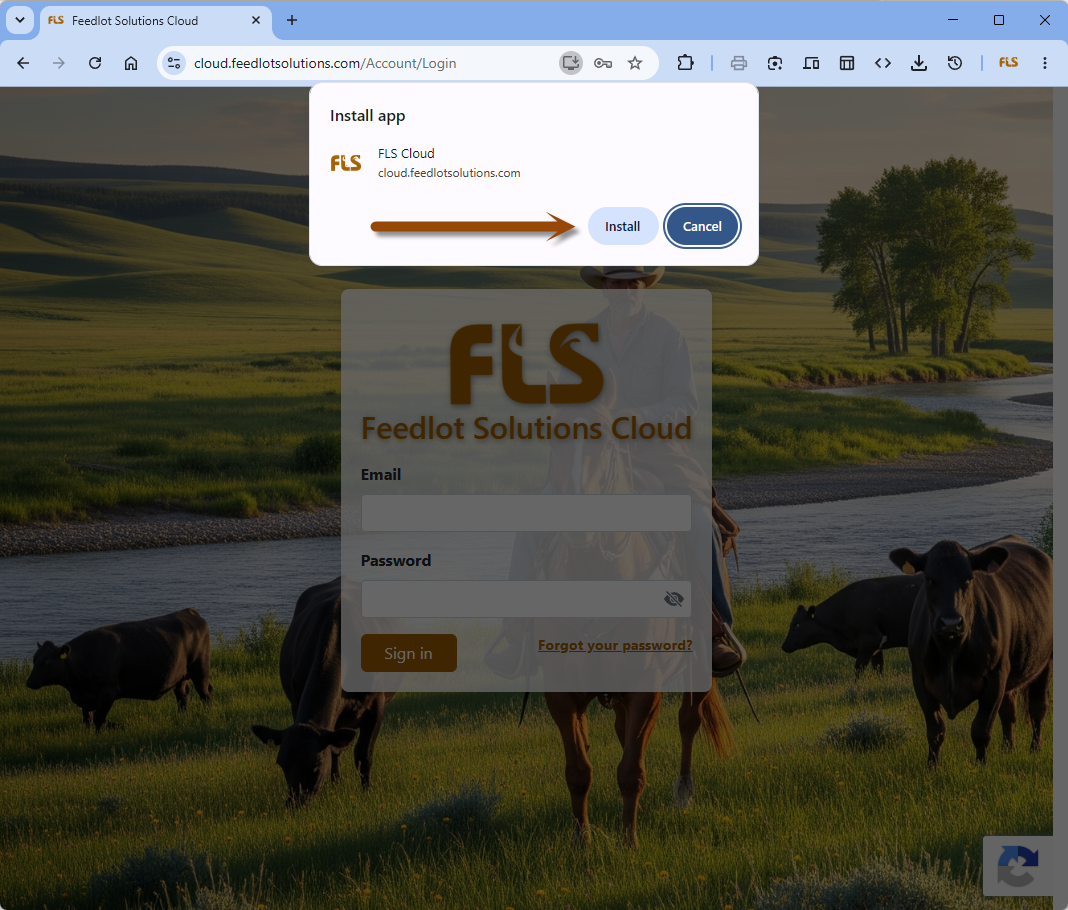
- Then click the "Install" button once the installation window pops up.
- Upon completion, on your desktop, you will now see the successfully installed FLS Cloud icon.

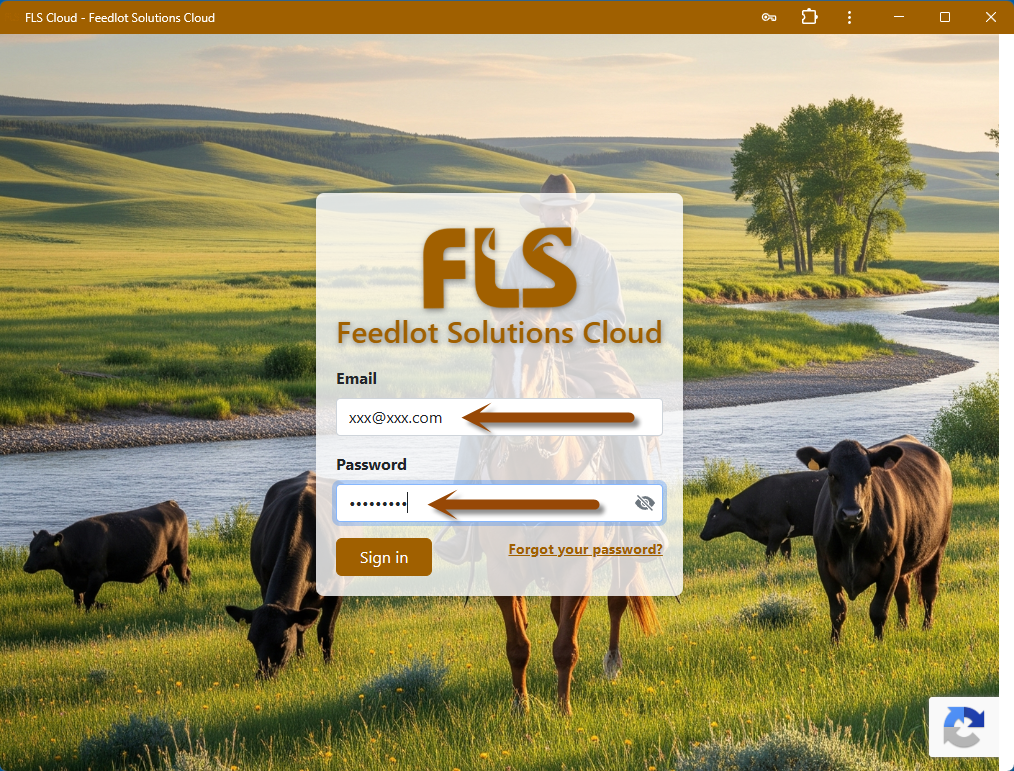
- To sign in, double-click to launch the program and enter your email and password as prompted. Then click Sign in button.
- Upon successful authentication, you will be redirected to the home page, confirming a successful sign in.
